Aiseesoft Total Video Converter — Free Giveaway (Worth $45.00)
Overview
Aiseesoft Total Video Converter is a versatile utility designed to simplify the process of converting and managing video files across multiple formats. Whether you’re preparing content for playback on different devices, optimizing files for online sharing, or organizing media for personal use, this software streamlines tasks that can often be time-consuming with other tools. Its intuitive interface and robust feature set make it an ideal choice for both casual users and those with more advanced editing needs. By supporting a wide range of input and output formats, it ensures compatibility with virtually any video player, smartphone, or streaming platform. Additionally, its ability to handle both conversion and basic editing in one package reduces the need for multiple applications, saving users time and effort.
One of the standout aspects of this tool is its focus on user convenience. It eliminates the frustration of dealing with incompatible file types by allowing seamless transitions between formats like MP4, MKV, AVI, and more. The software also caters to the growing demand for mobile-friendly content, ensuring that videos can be easily adapted for playback on phones, tablets, and other portable devices. For creators looking to enhance their videos, the built-in editing capabilities provide a quick way to trim clips, adjust settings, or apply simple effects without leaving the application. This combination of flexibility and functionality makes Aiseesoft Total Video Converter a valuable asset for anyone working with digital video.
Key Features
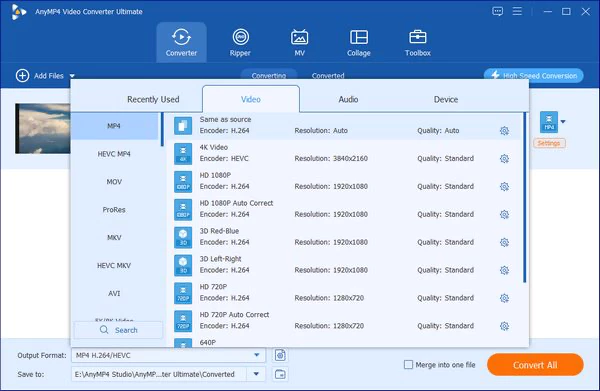
- Format Conversion Flexibility : This utility supports a broad array of video formats, including MP4, MKV, WMV, AVI, MOV, DivX, and MTS, enabling users to convert files between these formats effortlessly. It’s particularly useful for ensuring compatibility with devices or platforms that may not support the original file type.
- Audio File Export : Beyond video conversion, the software allows users to extract audio tracks from their videos. This feature is handy for creating standalone audio files for podcasts, music projects, or backup purposes.
- Mobile Device Optimization : Aiseesoft Total Video Converter includes settings tailored for mobile playback, such as adjusting resolution, bitrate, and aspect ratio to ensure smooth viewing on smartphones and tablets. This makes it easier to share videos on the go or use them in apps that require specific file configurations.
- 2D to 3D Conversion : For users interested in creating immersive content, the tool offers the ability to convert standard 2D videos into 3D formats. This feature can be a game-changer for those looking to experiment with depth effects or prepare videos for 3D-compatible devices.
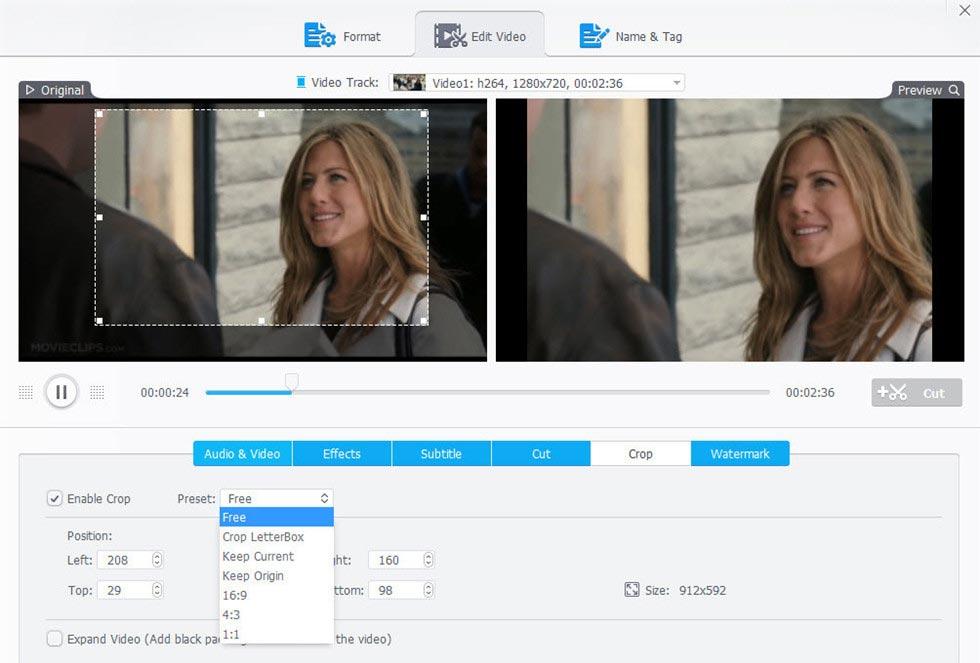
- Integrated Video Editing Tools : The built-in editor lets users perform basic tasks like trimming clips, cropping frames, and adjusting video parameters. While it may not replace professional editing software, it provides a convenient way to make quick modifications before conversion, enhancing workflow efficiency.
![Aiseesoft Total Video Converter – Video Converter Software [Windows][$45→0]](https://pic.paidgonefree.com/images/f85cac56eeec60fa2d3c2d302a74ee78b20c4db568685df0c6bf17c5e0eae744.webp "Aiseesoft Total Video Converter – Video Converter Software [Windows]")
Giveaway Link: https://www.aiseesoft.de/tutorial/video-bildgroesse-zuschneiden/
Get It Free Now
Click the link below before the giveaway ends!
Related Deals

Giveaway — Free Giveaway (Worth $21.29)
WonderFox will give away 3 of their products in the upcoming Halloween, which are RecoveryFox AI, HD Video Converter Factory Pro, and WonderFox DVD Ripper Pr...
Video software Edit VideoProc Converter AI — Free Giveaway (Worth $11.27)
VideoProc Converter AI is a fast video processing software that fully utilizes three-level GPU acceleration. As a complete video toolbox, it can easily Edit,...
AnyMP4 MP4 Converter Ultimate — Free Giveaway (Worth $33.75)
AnyMP4 MP4 Converter Ultimate is a MP4 video Converter tool that supports converting video files in DVD, AVI, MOV, MPEG, WMV, 3GP, M4V, FLV, MKV formats to M...