screenshot, screen recording and Edit tool Framecho — Free Giveaway (Worth $29.99)
Overview
Framecho is a powerful yet intuitive tool tailored for macOS users who need to capture, record, and edit visual content with precision. Whether you’re creating tutorials, documenting software processes, or preparing presentations, this application streamlines the workflow by combining screenshot capture, screen recording, and editing features into a single platform. Its design prioritizes simplicity and efficiency, making it accessible to both casual users and professionals. One of its standout aspects is the emphasis on local processing, which ensures that your original files remain untouched during edits. This approach not only safeguards your data but also maintains optimal performance, as it avoids the overhead of cloud-based tools. Framecho’s integration with macOS allows for seamless interactions, such as keyboard shortcuts and system-wide accessibility, which enhance productivity. For anyone looking to manage their screen content without compromising quality or privacy, Framecho offers a compelling solution.
What sets Framecho apart is its ability to handle multiple tasks with a unified interface. Instead of juggling between different apps for capturing, recording, and refining visuals, users can accomplish everything within Framecho. This is particularly beneficial for tasks that require quick iterations, such as creating instructional videos or annotating screenshots for reports. The software’s focus on local editing also means that all modifications are applied directly to the file, eliminating the risk of data loss or corruption during the process. Whether you’re working on a tight deadline or need to maintain the integrity of your original content, Framecho’s streamlined approach ensures you can focus on your work without unnecessary complications.
Key Features
- Integrated Screenshot and Recording Tools : Framecho allows users to capture screenshots and screen recordings with a single click, offering customizable options for selecting regions, timing, and resolution. This eliminates the need for multiple applications, saving time and effort.
- Local Annotation and Editing : All editing functions, including adding text, arrows, highlights, and other visual markers, are performed locally on your device. This ensures that your original files remain pristine while providing full control over modifications.
- Image Beautification Capabilities : The software includes tools to enhance the appearance of screenshots, such as adjusting brightness, contrast, and color balance. It also offers features like background removal and noise reduction, making your visuals cleaner and more professional.
- Subtitle Addition for Screen Recordings : For users creating video content, Framecho simplifies the process of adding subtitles. This feature is especially useful for tutorials, presentations, or multilingual projects, ensuring clarity and accessibility.
- Seamless macOS Integration : As a native macOS application, Framecho leverages the platform’s strengths, offering smooth performance and compatibility with other tools. Its intuitive design aligns with macOS conventions, making it easy to navigate and use efficiently.
Framecho is ideal for anyone who needs to create and refine visual content quickly. Its combination of practical tools and privacy-focused workflows makes it a valuable asset for content creators, developers, educators, and everyday users. By consolidating essential functions into one app, Framecho reduces the complexity of managing screen-based projects, allowing you to focus on what matters most: your work. Whether you’re preparing a quick demo or crafting detailed documentation, this tool empowers you to deliver polished results with minimal effort.
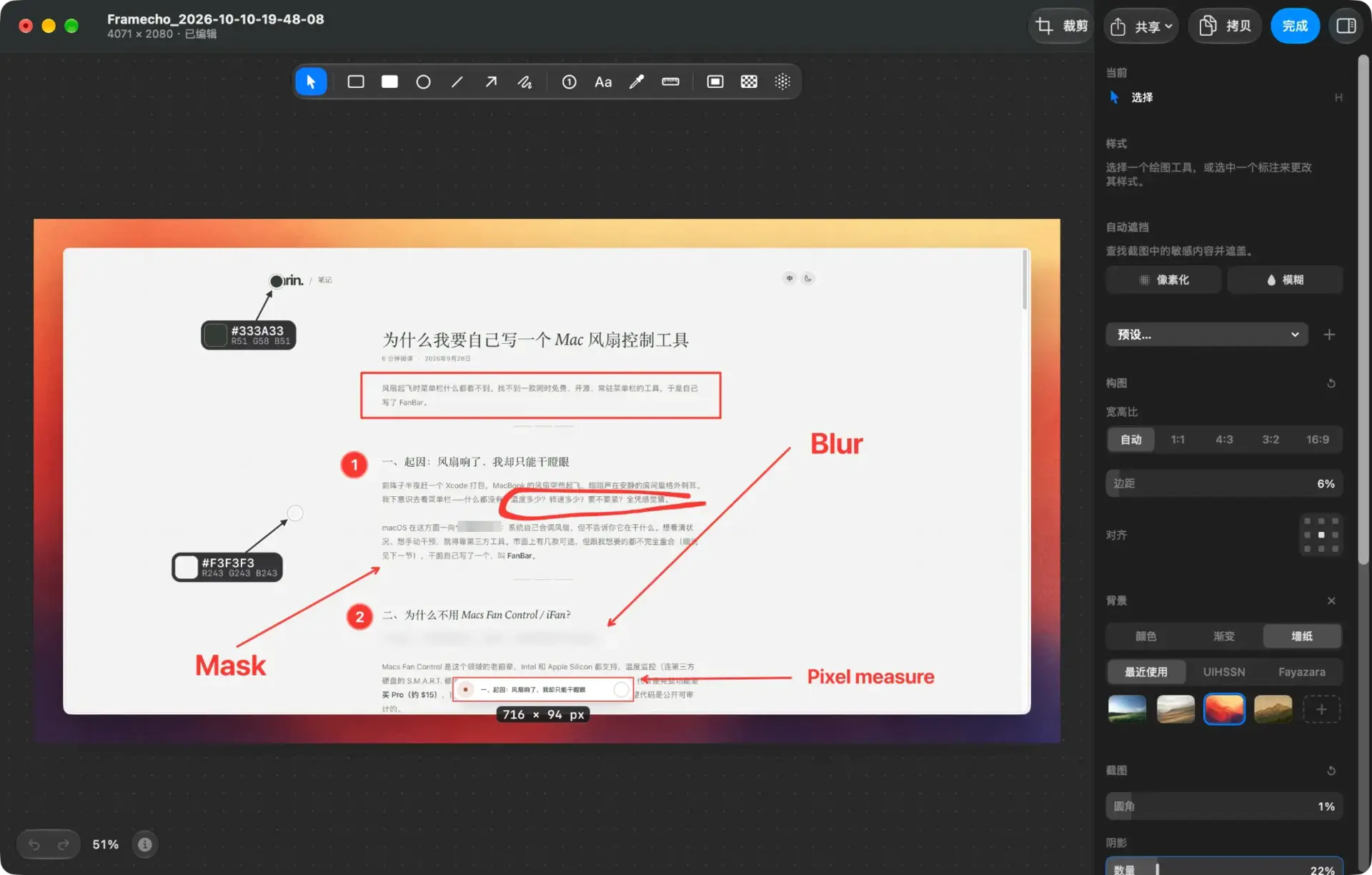
Giveaway Link: https://getframecho.com/
Get It Free Now
Click the link below before the giveaway ends!
Related Deals
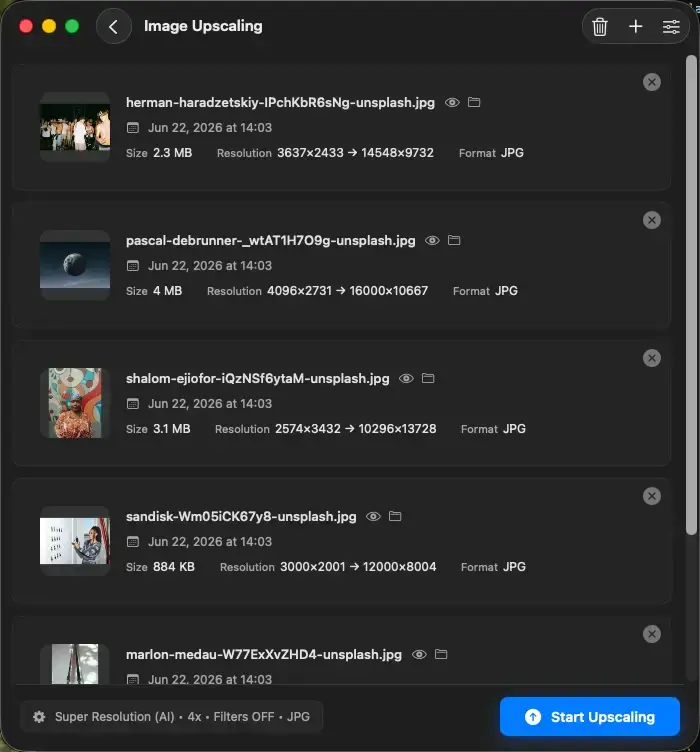
Upscal — Free Giveaway (Worth $39.00)
Upscal can perform super-resolution processing directly on your device, allowing you to enlarge and improve media files without uploading them to a cloud ser...
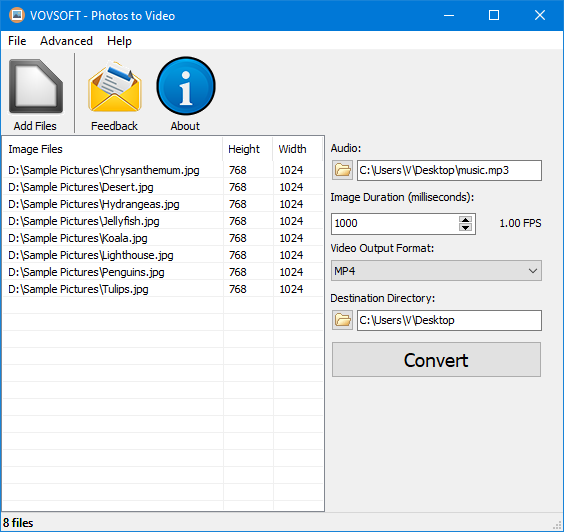
Convert ImageConverter to video Photos to Video — Free Giveaway (Worth $19.00)
Photos to Video is a tool that can help you quickly Converter Image into video, supports multiple Image formats, can also be made into a music album, allows...
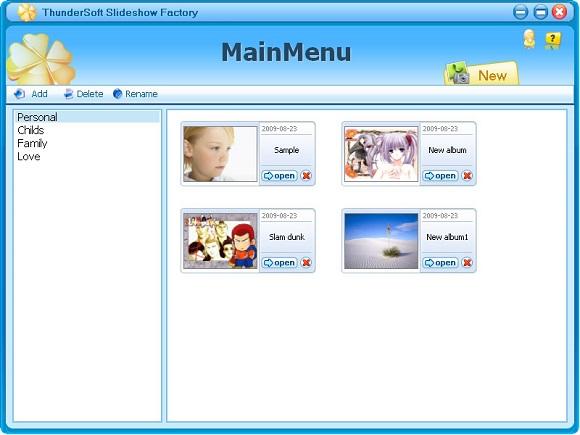
ThunderSoft Slideshow Factory — Free Giveaway (Worth $39.95)
ThunderSoft Slideshow Factory can let you create a presentation application from Image, video. You can add Image effects, audio, and video, with over 70 buil...