Ashampoo Snap 17 — Free Giveaway (Worth $39.99)
Overview
Ashampoo Snap 17 is a powerful yet intuitive screen capture and video recording tool designed to simplify the process of capturing digital content. Whether you’re a student, professional, or content creator, this software streamlines the creation of screenshots and videos, making it easier to document ideas, share tutorials, or record online activities. Its user-friendly interface ensures that even those with minimal technical experience can quickly get up to speed, while its advanced features cater to users who need precision and customization. Snap 17 is particularly useful for tasks that require visual documentation, such as creating step-by-step guides, preserving important screen moments, or editing video content for presentations. By combining simplicity with robust functionality, it’s an ideal choice for anyone looking to enhance their digital workflow without the complexity of more specialized tools.
One of the standout aspects of Snap 17 is its versatility. It allows users to capture everything from full-screen images to specific regions or windows, ensuring flexibility for different use cases. The software also supports real-time video recording, which is perfect for demonstrating processes, recording gameplay, or capturing live screen activity. Its seamless integration with editing tools means you can refine your captures immediately, adding effects, annotations, or adjustments to make your content more polished and professional. Whether you’re working remotely, creating instructional videos, or simply saving a quick visual note, Snap 17 empowers you to work smarter and more efficiently.
Key Features
- Instant Screen Capture : Quickly capture any part of your screen with a single click, supporting both static images and dynamic video recordings. The intuitive interface lets you adjust settings like resolution, frame rate, and capture area before saving your work.
- Built-In Editing Tools : Edit your screenshots and videos directly within the software. This includes cropping, resizing, adjusting colors, and adding text or effects, eliminating the need for multiple applications to complete your tasks.
- Automatic Numbering and Organization : Assign sequential numbers to your captures, making it easy to track and reference them in documents, presentations, or online platforms. This feature is especially helpful for creating tutorials or documentation with multiple steps.
- Annotations and Customization : Enhance your captures with comments, stickers, arrows, and other visual elements. These tools allow you to highlight key details, add notes, or personalize your content for clarity and engagement.
- Seamless Sharing Capabilities : Save your captures in popular formats like PNG, JPEG, or MP4, and export them directly to cloud storage, email, or social media platforms. This ensures your content is ready to share with minimal effort.
With its focus on efficiency and creativity, Ashampoo Snap 17 is a valuable asset for anyone who needs to capture and refine digital content. Its combination of ease of use and advanced features makes it a standout tool in the realm of screen capture utilities, offering a streamlined solution for both casual and professional use cases.
![Ashampoo Snap 17 – Screen capture and video recording tool [Windows] [$39.99→0]](https://pic.paidgonefree.com/images/e00ec84c0ea6587c49063822067136c55825faba59397180cdf54555f0c5373b.webp "Ashampoo Snap 17 – Screen capture and video recording tool [Windows] [$39.99→0]")
Giveaway Link: https://www.ashampoo.com/frontend/registration/php/trial_step1.php?edition_id=YZEeOjiJYmB4aubot592U6of2tpX4ecs
Get It Free Now
Click the link below before the giveaway ends!
Related Deals
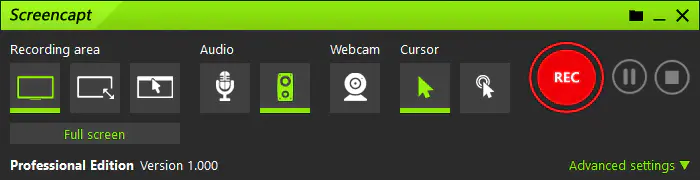
ASCOMP Screencapt Professional — Free Giveaway (Worth $24.90)
With ASCOMP Screencapt, you can record the entire Screen, selected area, or specific window. This flexibility makes Screencapt the perfect Screen recording t...
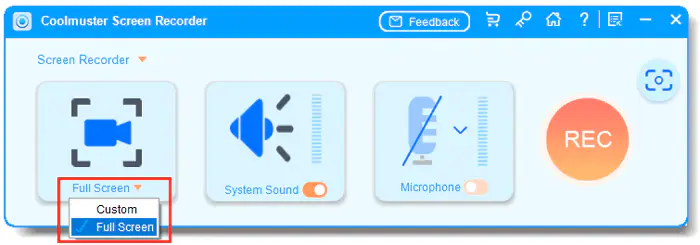
Coolmuster Screen Recorder — Free Giveaway (Worth $19.00)
Coolmuster Screen Recorder is a powerful and easy-to-use ScreenRecorder software, which can be used to capture Screen activities, record Audio, and take Scre...
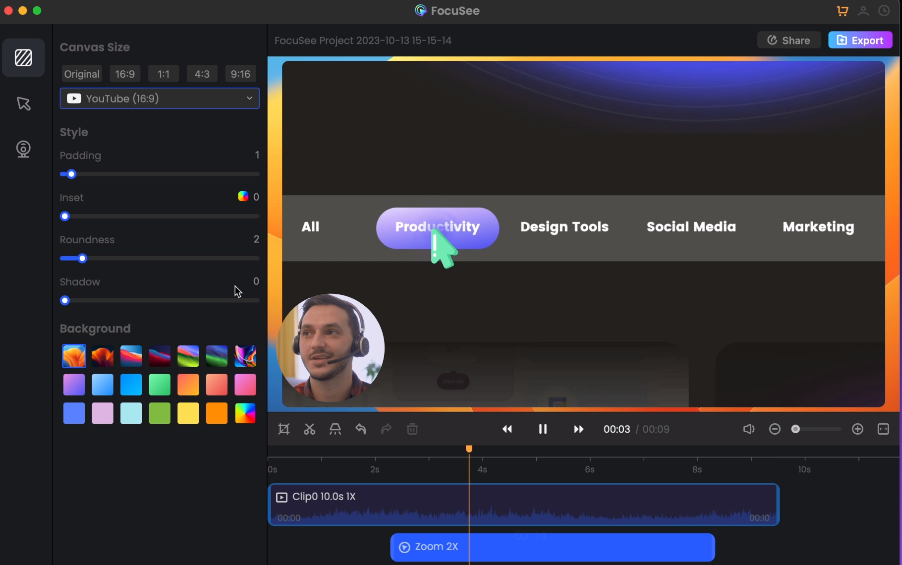
ScreenRecorder software FocuSee — Free Giveaway (Worth $9.86)
FocuSee is a Screen Recorder software, with a very user-friendly interface that can help you quickly perform screen recording, and also has powerful Recorder...