UnSee — Free Giveaway (Worth $29.99)
Overview
UnSee is a privacy-focused image censoring tool designed for iPhone users who want to safeguard sensitive content in their photos and screenshots. In an era where digital sharing is ubiquitous, the need to protect personal information has never been more critical. Whether you’re capturing moments for social media, sending images via messaging apps, or preparing content for public platforms, UnSee empowers you to identify and conceal potentially revealing details with ease. Its intuitive interface and seamless integration with your device’s photo library make it a practical solution for anyone concerned about accidental exposure of private data. By offering a proactive approach to image privacy, UnSee helps users maintain control over their digital footprint without compromising convenience.
The app’s core purpose is to act as a guardian for your visual content, ensuring that nothing unintended is shared. It scans images for areas that might inadvertently reveal confidential information, such as faces, license plates, or text, and allows you to quickly address them. This functionality is particularly valuable for professionals, parents, or anyone who handles sensitive material regularly. UnSee’s emphasis on simplicity and effectiveness makes it a reliable companion for managing privacy in everyday digital interactions, offering peace of mind that your images are secure before they leave your device.
Key Features
- Smart Image Scanning: UnSee automatically analyzes photos and screenshots to detect potentially sensitive elements, such as faces, text, or objects that could compromise privacy. This feature helps users identify what might need to be hidden without requiring manual inspection of every image.
- Customizable Censoring Tools: The app provides a range of options to obscure or edit specific areas, including blurring, pixelation, and redaction. These tools are designed to be user-friendly, allowing even non-technical users to apply privacy measures efficiently.
- Real-Time Protection: With UnSee, you can review and modify images before sharing them, ensuring that no private details slip through. This is especially useful for photos taken in public or semi-private settings where unintended exposure is a risk.
- Seamless Integration: The app works directly with your iPhone’s photo library and screenshots, making it easy to access and process images without the need for additional file transfers or complex workflows.
- Privacy-Centric Workflow: UnSee prioritizes user control by offering straightforward steps to review, edit, and protect images. Its design ensures that privacy remains a central part of the process, helping users maintain confidence in their digital communications.
By addressing common privacy concerns, UnSee fills a gap in mobile security tools, offering a solution that’s both practical and discreet. Its ability to streamline the censorship process makes it an essential app for anyone looking to balance convenience with discretion in their digital life.
![UnSee - Photo Censoring Privacy Tool[iPhone][In-App Purchase Giveaway]](https://pic.paidgonefree.com/images/b633fb84bed33ea467c67f1008aa37f42e4d5d8b1377a6f79605a6605bca115d.webp "UnSee - Photo Censoring Privacy Tool[iPhone][In-App Purchase Giveaway]")
Giveaway Link: https://apps.apple.com/app/id6794597092?mt=8&at=1l3vkVL
Get It Free Now
Click the link below before the giveaway ends!
Related Deals
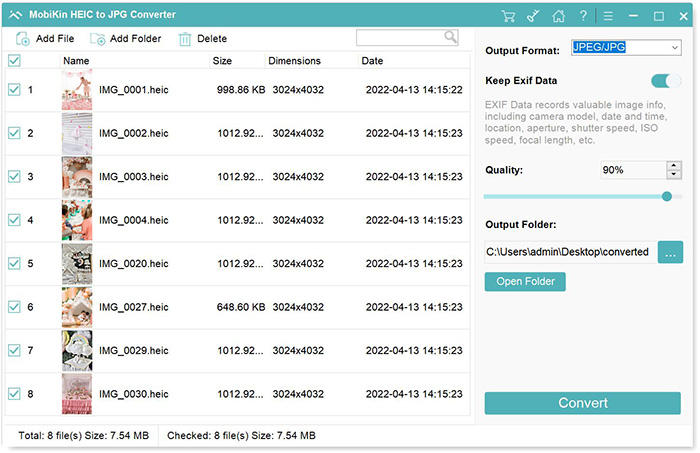
Convert HEIC format to other Image formats MobiKin HEIC to JPG Converter — Free Giveaway (Worth $9.95)
MobiKin HEIC to JPG Converter is a tool that can batch convert HEIC images to PNG, JPG, JPEG Image formats with high quality and speed, supporting drag-and-d...
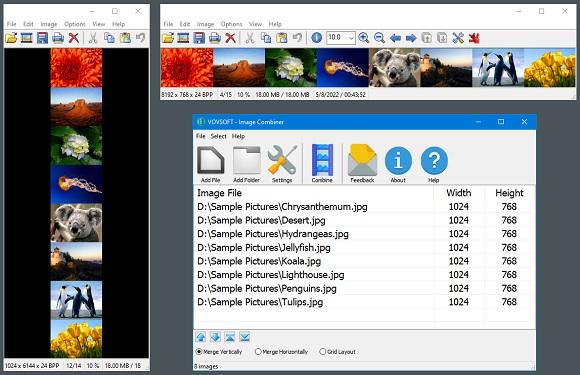
Image Combiner Vovsoft Image Combiner — Free Giveaway (Worth $19.00)
Vovsoft Image Combiner is an Image Combiner tool that can help you quickly combine multiple images, you can choose horizontal or vertical, you can quickly ad...
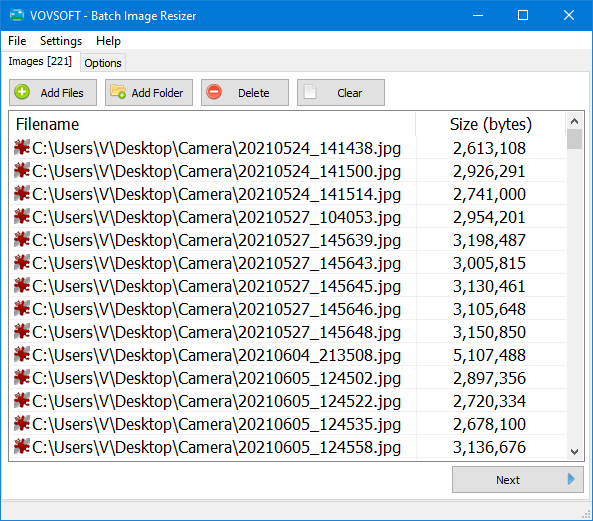
Batch modify Image size Vovsoft Batch Image Resizer — Free Giveaway (Worth $19.00)
Vovsoft Batch Image Resizer is a tool that allows you to batch edit Image size, supporting multiple common Image formats, and the process is also very simple...