Convert HEIC format to other Image formats MobiKin HEIC to JPG Converter Free Giveaway (Worth $9.95) — Free Giveaway (Worth $9.95)
Overview
MobiKin HEIC to JPG Converter is a specialized tool designed to address the growing need for converting HEIC image files into more universally compatible formats like PNG, JPG, and JPEG. HEIC, or High-Efficiency Image Format, is a modern, high-compression format that offers superior quality compared to traditional JPEGs while using less storage space. However, its adoption is still limited, especially on older devices or software that don’t support it. This tool bridges that gap by allowing users to easily transform HEIC files into widely recognized formats without compromising visual fidelity. Whether you’re dealing with photos from a smartphone, editing images for web use, or preparing files for print, the converter simplifies the process of ensuring compatibility across platforms and applications.
For users who frequently work with image files, the ability to batch convert multiple HEIC images at once can save significant time and effort. The tool’s intuitive interface and drag-and-drop functionality make it accessible even for those with minimal technical expertise. By streamlining the conversion workflow, MobiKin HEIC to JPG Converter helps eliminate the frustration of dealing with unsupported file types, allowing you to focus on your creative or professional tasks. Its emphasis on speed and quality ensures that you can process large volumes of images efficiently while maintaining their clarity and detail.
Key Features
- Batch Conversion Capabilities : Process multiple HEIC files simultaneously, reducing the need for repetitive manual conversions and boosting productivity.
- Drag-and-Drop Support : Easily import images by dragging them into the application, making the workflow seamless and user-friendly.
- High-Quality Output : Retain the original image resolution and detail when converting, ensuring professional-grade results without loss of clarity.
- Fast and Efficient Processing : Optimized algorithms deliver quick conversion times, even for large files, minimizing downtime during your workflow.
- Multi-Format Compatibility : Convert HEIC files to PNG, JPG, and JPEG formats, which are supported by virtually all devices, operating systems, and software applications.
This type of software typically offers a straightforward solution for users who encounter challenges with file format limitations. By focusing on reliability, speed, and ease of use, MobiKin HEIC to JPG Converter caters to both casual users and professionals who need to manage image files across different platforms. Its ability to handle bulk conversions and simplify the transition from HEIC to more standard formats makes it a valuable addition to any digital toolkit. Whether you’re preparing images for social media, email, or archival purposes, the converter ensures your files are ready for any use case without the hassle of format incompatibility.
![MobiKin HEIC to JPG Converter - Convert HEIC format to other Image formats [Windows][$9.95→0]](https://pic.paidgonefree.com/images/8958b435ee033587663f54189e61f8077c755d8dd76b17cfeb2272bafff1707c.jpeg "MobiKin HEIC to JPG Converter - Convert HEIC format to other Image formats [Windows][$9.95→0]")
Get It Free Now
Click the link below before the giveaway ends!
Related Deals
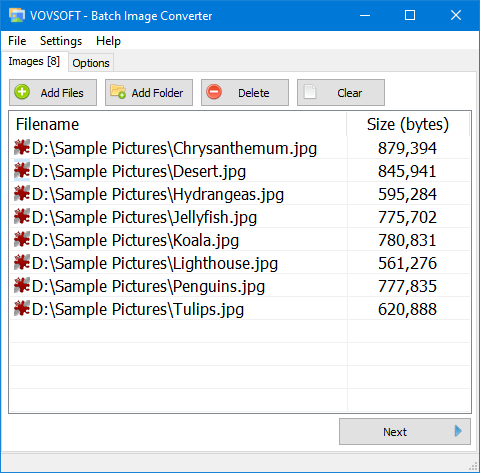
Vovsoft Batch Image Converter — Free Giveaway (Worth $19.00)
Vovsoft Batch Image Converter is a simple tool for batch Converter Image format conversion.
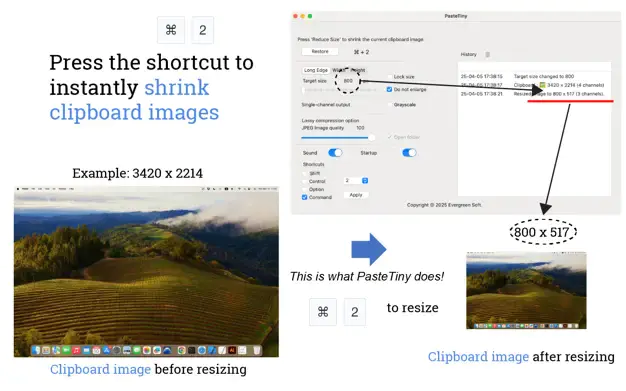
Quickly reduce clipboard image size PasteTiny — Free Giveaway (Worth $28.00)
PasteTiny is a clipboard Image Resizer Tool, whether for resizing images to share or restoring their original size, PasteTiny can handle it easily. You can s...
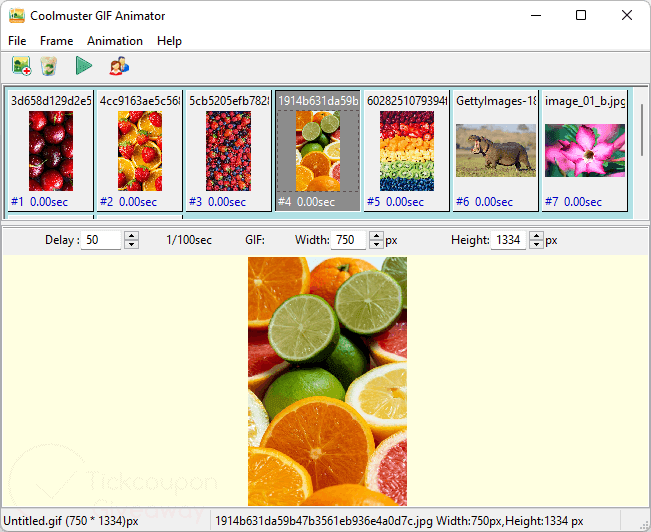
Coolmuster GIF Animator Free Giveaway (Worth $39.95) — Free Giveaway (Worth $39.95)
Coolmuster GIF Animator is a GIF Animation Image Creation Tool that allows you to quickly create GIF Animation Images from multiple Images, supporting JPG, J...