Right click Assistant FalconMenu — Free Giveaway (Worth $29.99)
Overview
FalconMenu is a powerful macOS utility designed to enhance the functionality of Finder’s right-click menu, offering users a streamlined way to perform repetitive file operations with greater efficiency. While macOS provides a robust set of tools for file management, many users find the default context menu lacking in customization and speed. FalconMenu bridges this gap by adding a dynamic toolbox directly to the Finder interface, allowing quick access to a wide range of actions without the need to navigate through multiple menus or launch separate applications. Whether you’re organizing files, working with developers, or managing media, this tool simplifies workflows and saves time by consolidating frequently used tasks into one intuitive location.
For power users and creative professionals, FalconMenu acts as a productivity booster, reducing the number of steps required to complete common file-related actions. Its seamless integration with Finder ensures that it doesn’t disrupt the user experience but instead enhances it. By providing shortcuts for creating new files and folders, copying paths, and managing files with precision, FalconMenu caters to those who value efficiency and customization in their daily computing tasks. It’s particularly useful for users who handle large volumes of data or need to perform repetitive operations regularly, making it a valuable addition to any macOS setup.
Key Features
- Customizable Right-Click Toolbox: FalconMenu extends Finder’s right-click menu with a variety of tools tailored to file management, enabling users to perform actions like creating new files or folders, copying paths, and renaming files directly from the context menu. This eliminates the need for additional steps, such as opening a terminal or using third-party apps.
- Path and URL Copying: The software allows users to quickly copy file paths, URLs, and names to the clipboard, which is especially handy for developers, designers, or anyone needing to reference file locations in workflows or share files with others.
- App-Specific File Handling: FalconMenu lets users open selected files or folders with their preferred applications, ensuring consistency and reducing the time spent searching for the right tool. This is ideal for users who frequently work with specific software or need to switch between apps seamlessly.
- Terminal Integration: With a single click, users can open a terminal window at the current file location, making it easier to execute commands, manage scripts, or interact with the file system using the command line.
- Batch Operations and File Management: The tool includes features for batch renaming files, compressing or decompressing ZIP archives, and organizing frequently used folders. These capabilities help users maintain order in their digital workspace and automate tedious tasks.
FalconMenu also includes local tools for optimizing image and file workflows, such as previewing, converting, or editing files without leaving Finder. Its design focuses on reducing friction in everyday tasks, making it a go-to solution for macOS users seeking to maximize their efficiency. Whether you’re a casual user or a power user, FalconMenu’s intuitive interface and versatile features can significantly improve your file management experience.
![FalconMenu - Right-click Helper [macOS] [In-App Purchase Giveaway]](https://pic.paidgonefree.com/images/fc7a6e0ab3f880bc8e5d566700da6d166911d3fab89d4db80b60dff9001eca2e.webp "FalconMenu - Right-click Helper [macOS] [In-App Purchase Giveaway]")
Giveaway Link: https://apps.apple.com/redeem?id=6768915910&code=FALCONMENUCODE
Get It Free Now
Click the link below before the giveaway ends!
Related Deals

Pomodoro Focus Timer GrowFocus — Free Giveaway (Worth $29.99)
GrowFocus is an advanced cognitive training application, which can transform attention training into a beautiful 3D garden. Each completed focus session will...

Tikku — Free Giveaway (Worth $29.99)
Tikku can help you plan your day, when a task starts, applications that take up your time will automatically lock. After the task ends, they will reopen. Tik...
Desktop program window quickly reposition Cue — Free Giveaway (Worth $8.00)
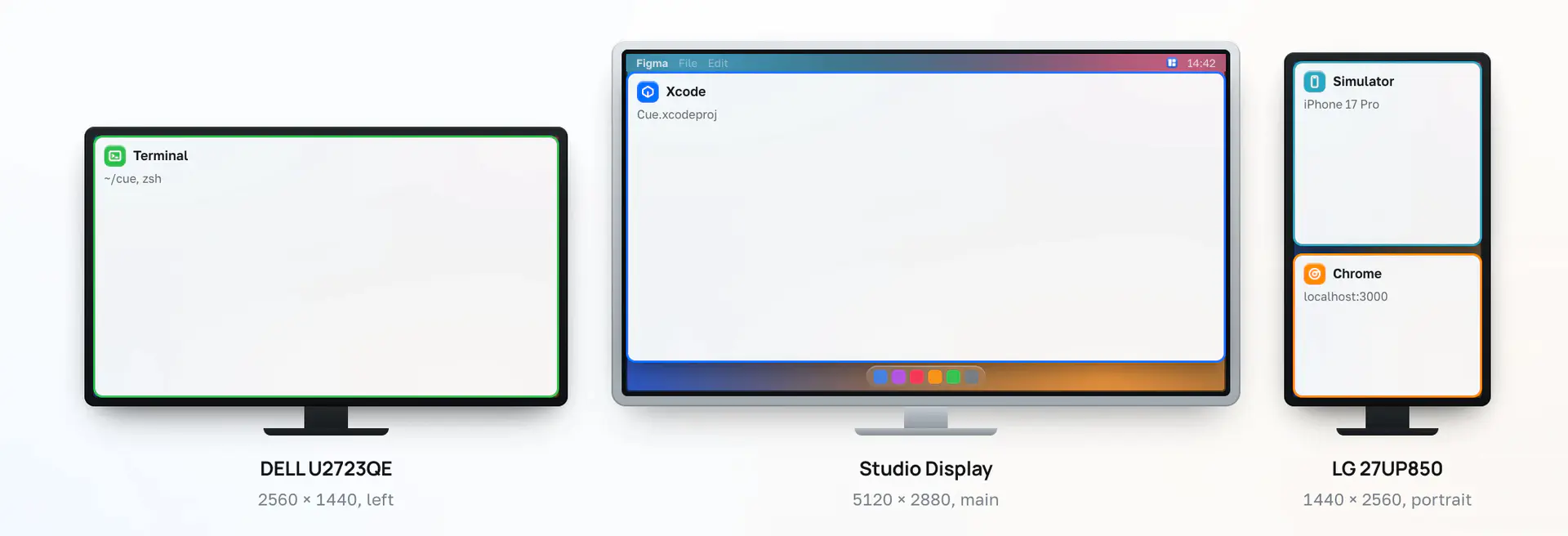
Cue will save the position of each window on your multiple displays as a scene, then with just one shortcut key, everything will instantly return to its place: